
CompTIA A+ Core 1 | Domain 2: Networking (23%) | Reading (6, 7, 8, 9 & 10)
2.1 Networking Fundamentals
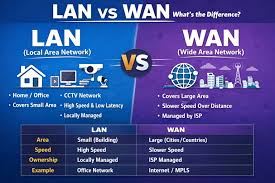
Networking allows devices to communicate and share resources such as internet access, files, and printers.
Types of Networks
|
Type |
Description |
|
LAN (Local Area Network) |
Small area (home, office) |
|
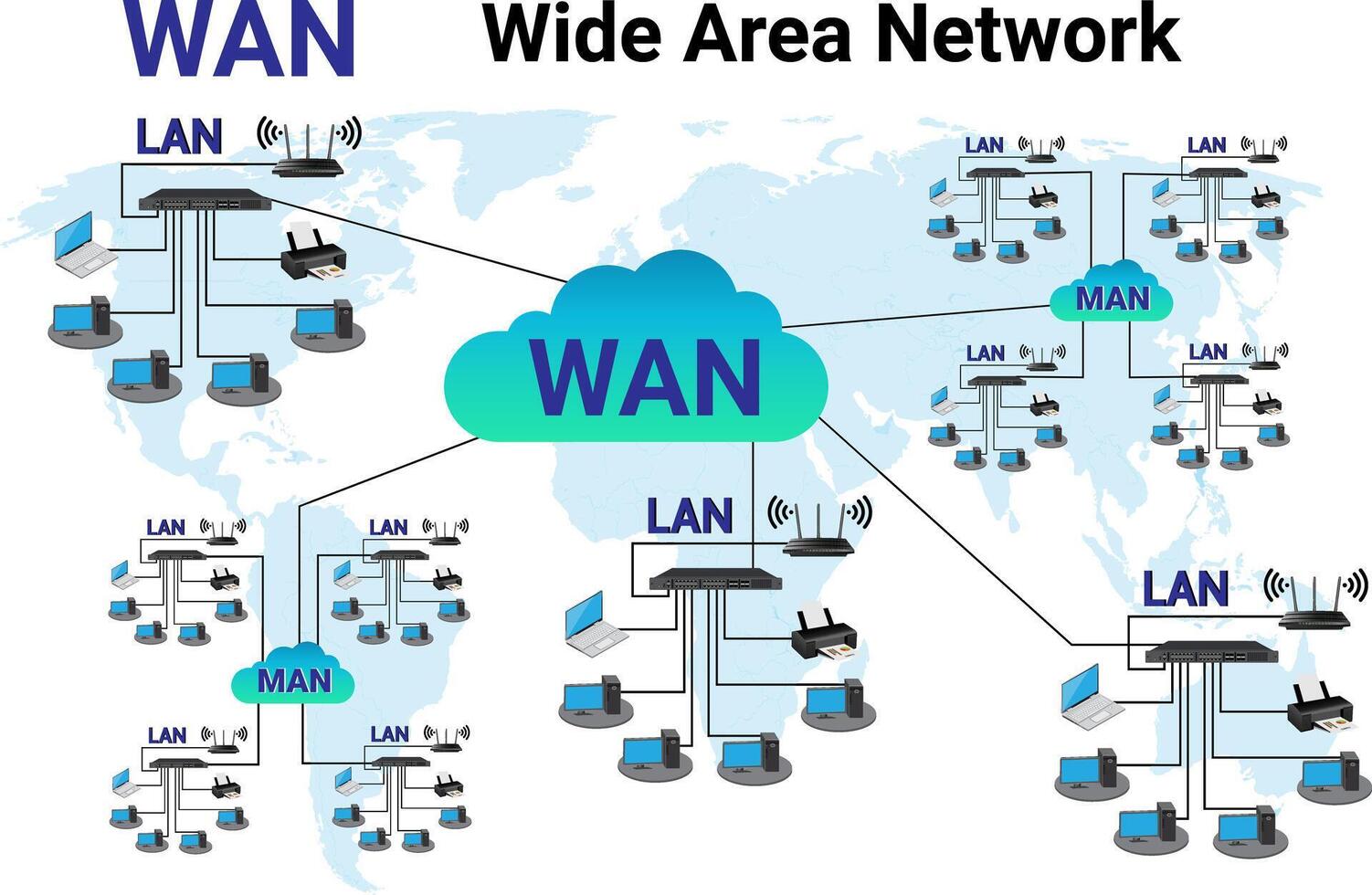
WAN (Wide Area Network) |
Large geographic area (internet) |
|
PAN (Personal Area Network) |
Very small (Bluetooth devices) |
|
MAN (Metropolitan Area Network) |
City-wide network |
Network Topologies
|
Topology |
Description |
|
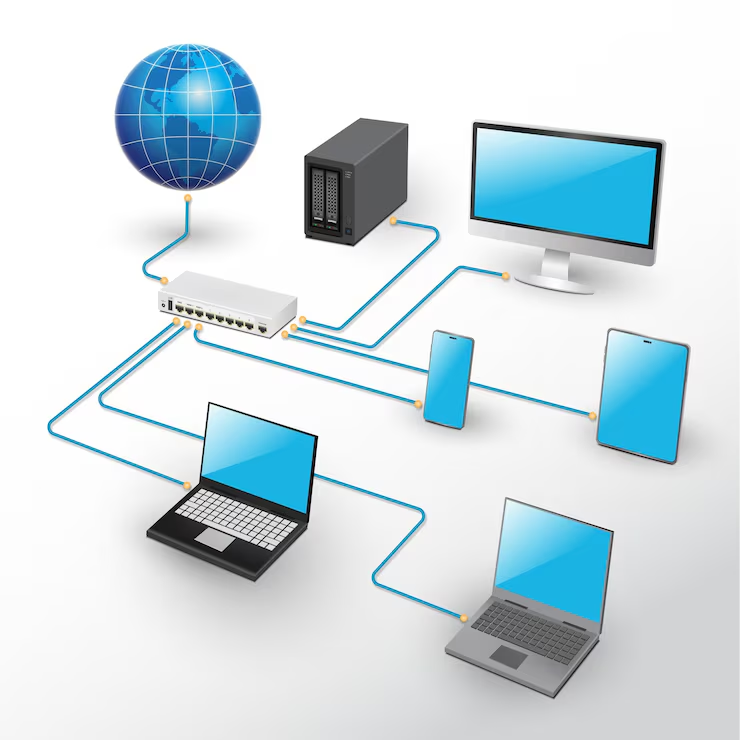
Star |
Devices connect to central switch/router |
|
Mesh |
Devices connect to each other (high redundancy) |
|
Bus |
Single backbone cable |
|
Ring |
Circular connection |
Star topology is most common today
2.2 IP Addressing
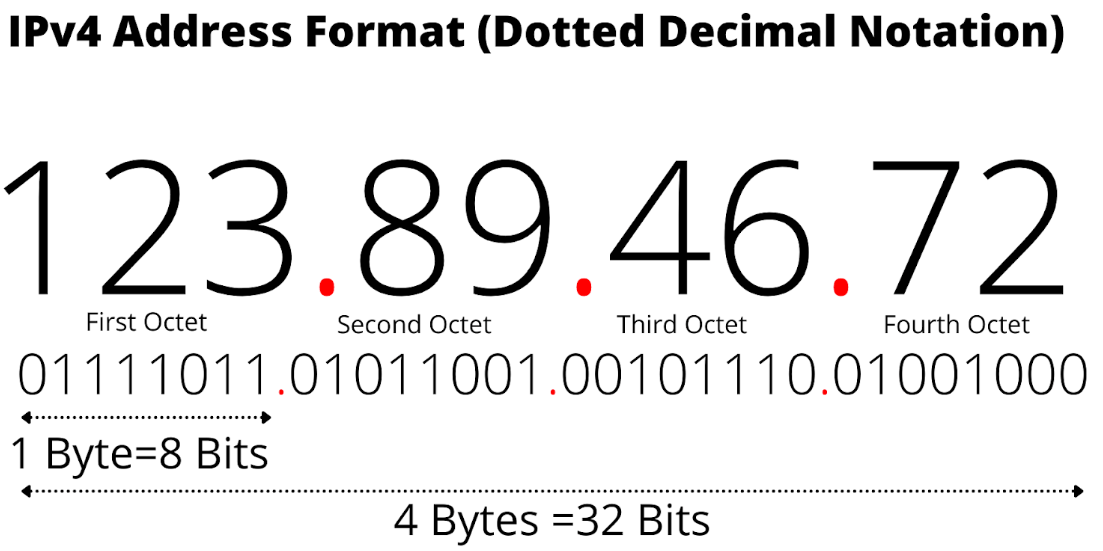
IPv4 Addressing
-
Format: 192.168.1.1
-
32-bit address
-
Divided into:
-
Network portion
-
Host portion
-
Private IP Ranges (MEMORIZE)
10.0.0.0 – 10.255.255.255
172.16.0.0 – 172.31.255.255
192.168.0.0 – 192.168.255.255
Public vs Private IP
|
Type |
Description |
|
Public |
Internet-routable |
|
Private |
Internal network only |
IPv6 Addressing
-
128-bit address
-
Example: 2001:0db8:85a3::8a2e:0370:7334
-
Benefits:
-
More addresses
-
Improved efficiency
-
Subnet Mask
Defines network vs host portion.
Example:
-
IP: 192.168.1.10
-
Mask: 255.255.255.0
DHCP (Dynamic Host Configuration Protocol)
-
Automatically assigns IP addresses
-
Provides:
-
IP address
-
Subnet mask
-
Default gateway
-
DNS server
-
DNS (Domain Name System)
-
Converts domain names → IP addresses
Example: google.com → 8.8.8.8
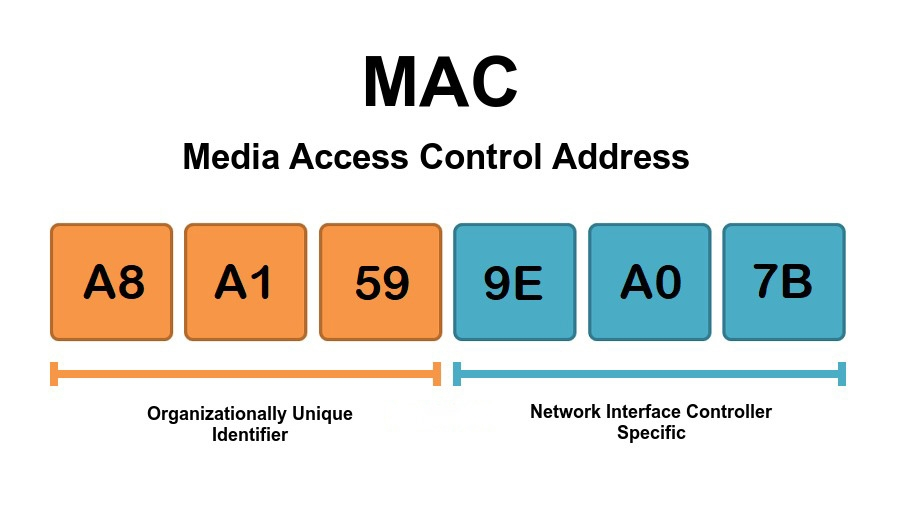
Media Access Control Address (MAC)
A Media Access Control Address (MAC) is a unique 12-character physical identifier (e.g., 00:1A:2B:3C:4D:5E) permanently assigned to a device’s network chip by its manufacturer.
It ensures your computer or phone can be specifically identified on a local network, much like a fingerprint.
2.3 Ports & Protocols (HIGH PRIORITY)
Common Ports (MEMORIZE)
|
Protocol |
Port |
Purpose |
|
HTTP |
80 |
Web (unsecured) |
|
HTTPS |
443 |
Secure web |
|
FTP |
21 |
File transfer |
|
SSH |
22 |
Secure remote login |
|
Telnet |
23 |
Unsecure remote login |
|
SMTP |
25 |
Email sending |
|
DNS |
53 |
Name resolution |
|
DHCP |
67/68 |
IP assignment |
|
RDP |
3389 |
Remote desktop |
Protocol Types
-
TCP
-
Reliable
-
Connection-oriented
-
-
UDP
-
Faster
-
Connectionless
-
2.4 Network Devices
Core Devices
|
Device |
Function |
|
Router |
Connects networks |
|
Switch |
Connects devices in LAN |
|
Hub |
Broadcasts data (outdated) |
|
Modem |
Converts ISP signal |
|
Access Point (AP) |
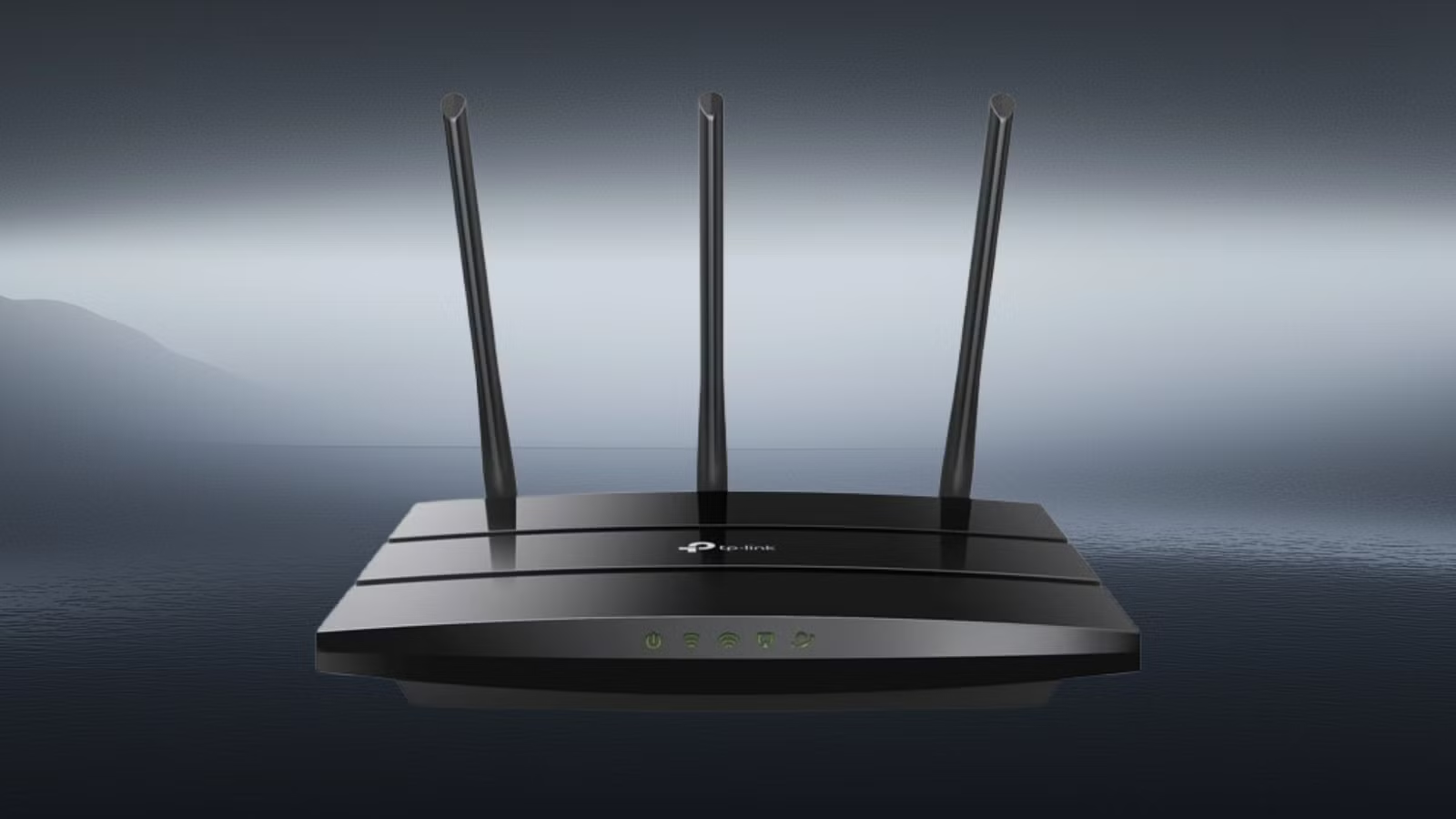
Provides Wi-Fi |
Firewall
-
Filters traffic based on rules
-
Protects network
2.5 Wireless Networking
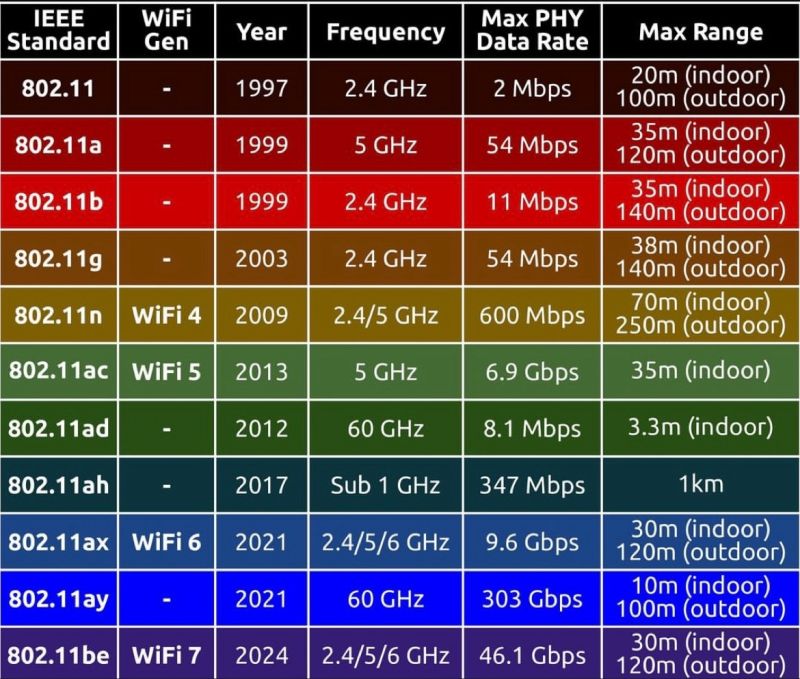
Wi-Fi Standards
|
Standard |
Speed |
Frequency |
|
802.11n |
Medium |
2.4/5 GHz |
|
802.11ac (Wi-Fi 5) |
Fast |
5 GHz |
|
802.11ax (Wi-Fi 6) |
Faster |
2.4/5 GHz |
Frequencies
|
Band |
Pros |
Cons |
|
2.4 GHz |
Longer range |
Slower |
|
5 GHz |
Faster |
Shorter range |
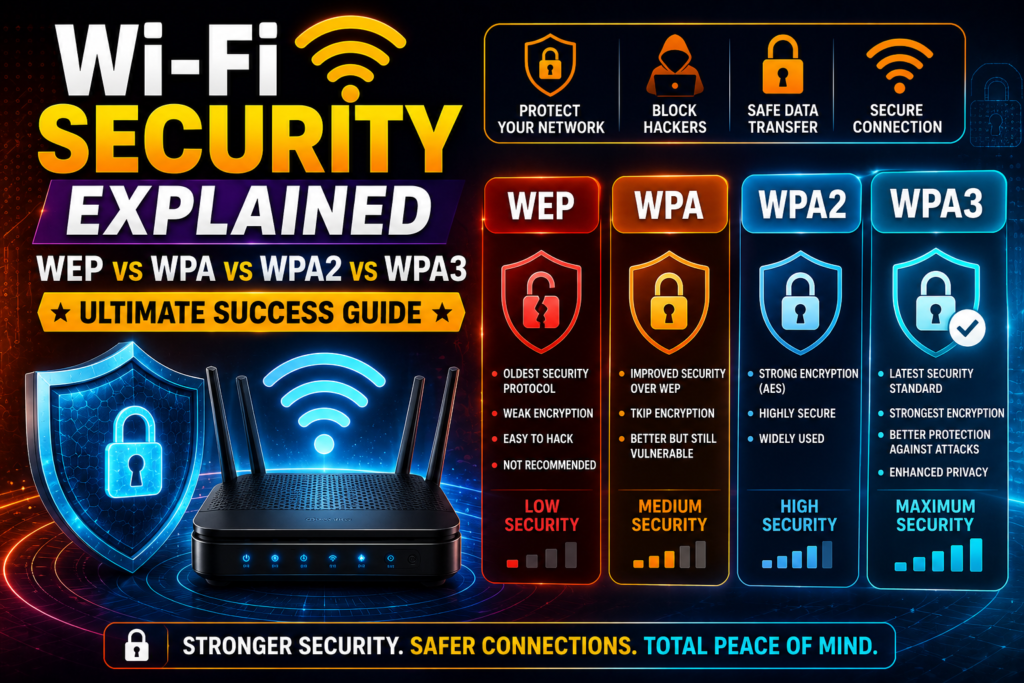
Wireless Security
|
Type |
Security Level |
|
WEP |
Weak |
|
WPA |
Better |
|
WPA2 |
Strong |
|
WPA3 |
Strongest |
2.6 Network Cables & Connectors
Cable Types
|
Type |
Use |
|
Twisted Pair (Ethernet) |
LAN connections |
|
Coaxial |
Cable internet |
|
Fiber Optic |
High-speed, long distance |
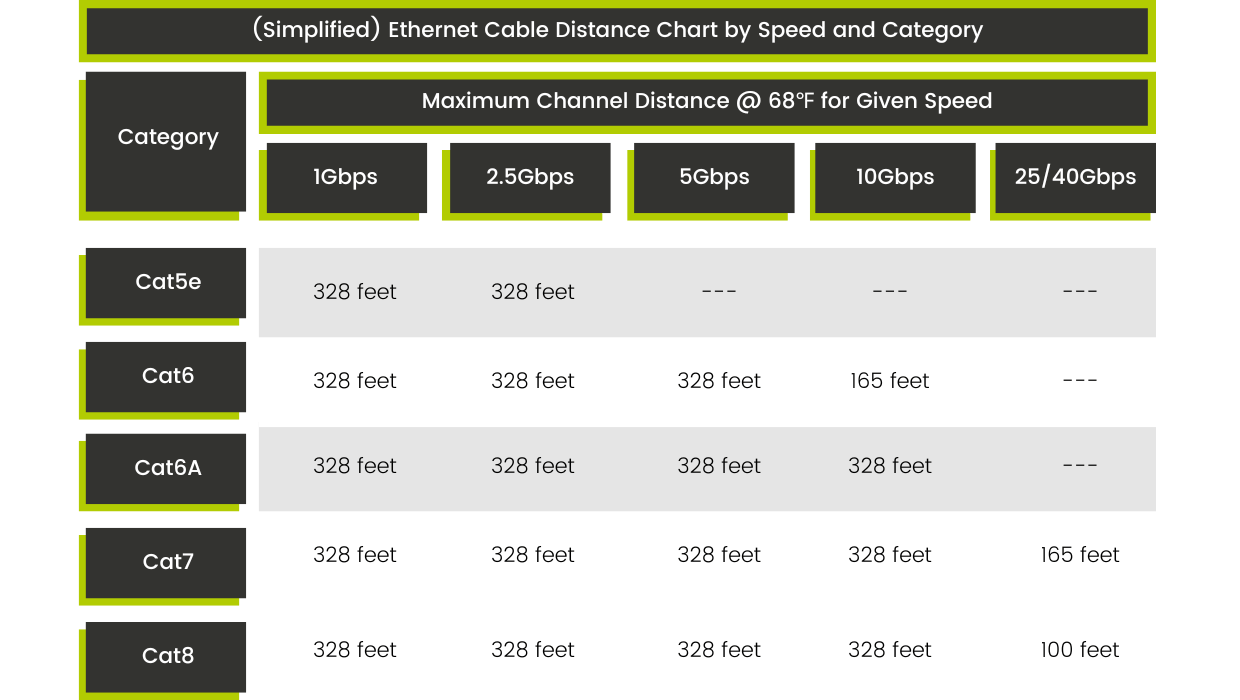
Ethernet Categories
|
Type |
Speed |
|
Cat5e |
1 Gbps |
|
Cat6 |
10 Gbps |
|
Cat6a |
Higher performance |
Connectors
-
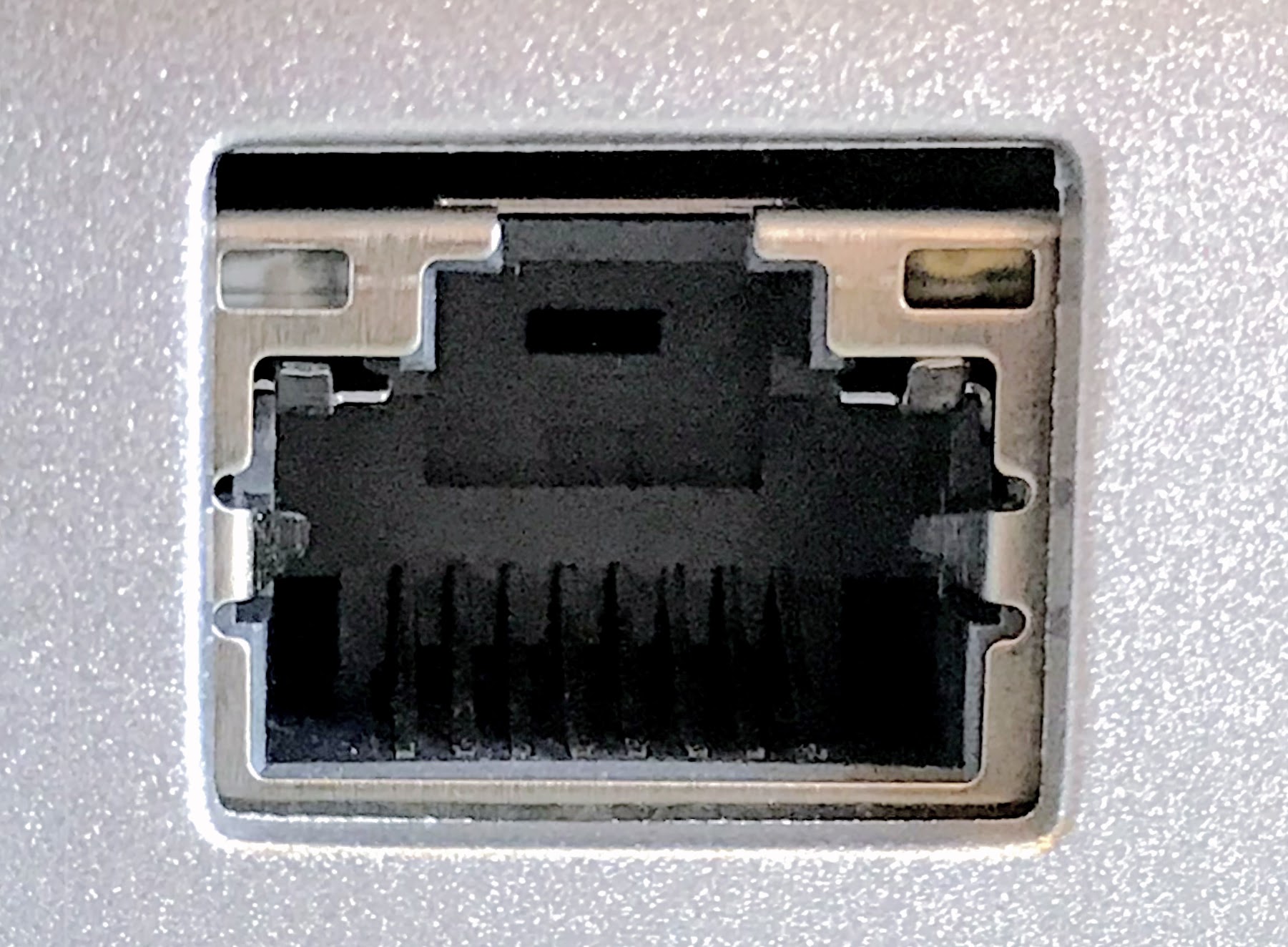
RJ-45 → Ethernet
-
RJ-11 → Telephone
Registered Jack (RJ) 45
2.7 Network Configuration Tools
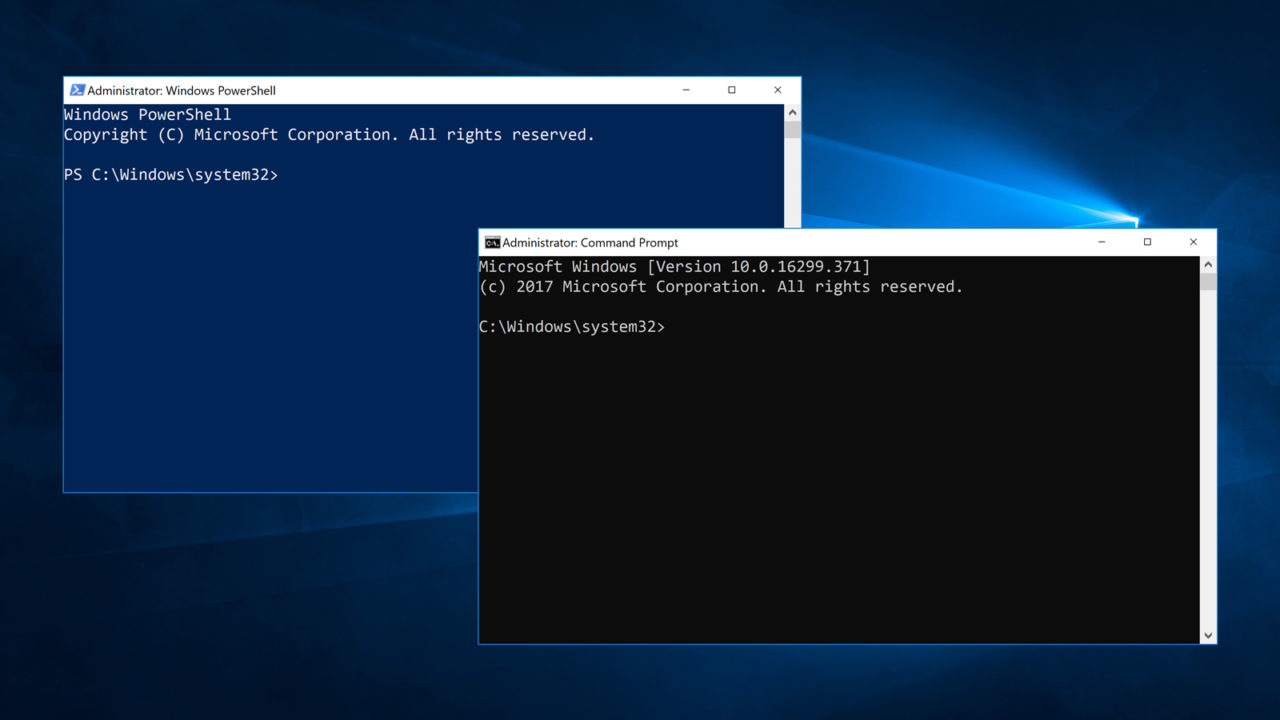
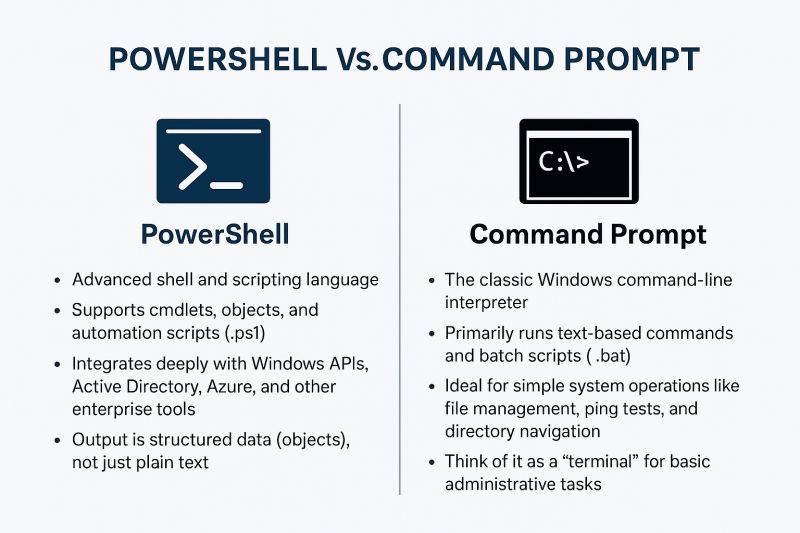
Windows Commands (MEMORIZE)
|
Command |
Purpose |
|
ipconfig |
View IP config |
|
ping |
Test connectivity |
|
tracert |
Trace route |
|
nslookup |
DNS lookup |
|
netstat |
Network stats |
2.8 Network Troubleshooting
Troubleshooting Methodology
-
Identify problem
-
Establish theory
-
Test theory
-
Implement fix
-
Verify
-
Document
Common Issues
No Internet Access
Causes:
-
Wrong IP
-
DNS failure
-
Gateway issue
Fix:
-
Run ipconfig
-
Renew IP (ipconfig /renew)
-
Check DNS
Slow Network
Causes:
-
Interference
-
Bandwidth congestion
Fix:
-
Switch to 5 GHz
-
Move closer to router
Weak Wi-Fi Signal
Causes:
-
Distance
-
Obstacles
Fix:
-
Reposition router
-
Add extender
No Network Connection
Causes:
-
Bad cable
-
Disabled NIC
Fix:
-
Replace cable
-
Enable adapter
2.9 Virtualization & Networking Basics
Virtual Networking Modes
-
NAT → Internet sharing
-
Bridged → Appears as real device
-
Internal → Isolated network
Use Cases
-
Testing networks
-
Simulating environments
-
Troubleshooting practice
Videos
Section 2: Networking
2.1 – Ports and Protocols
The Internet uses a standard set of protocols to send traffic from one part of the world to another. In this video, you’ll learn about IP, TCP, UDP, port numbers, and how they all work together to enable worldwide communication over our wired and wireless networks.

Applications commonly use a well-known port number for network communication. In this video, you’ll learn about the common ports for FTP, SSH, Telnet, SMTP, DNS, DHCP, HTTP, HTTPS, POP3, IMAP, SMB, LDAP, LDAPS, and RDP.
2.2 – Wireless Networks
We often use many different wireless in a single day. In this video, you’ll learn about 802.11 frequencies and channels, Bluetooth technologies, RFID, and near field communication (NFC).
2.3 – Network Services
It takes many different services to keep a network running. In this video, you’ll learn about DNS, DHCP, file sharing, print servers, mail servers, Syslog, web servers, authentication, spam gateways, all-in-one security appliances, load balancers, proxy servers, SCADA, legacy systems, embedded devices, and IoT (Internet of Things).
2.4 – Network Configurations
Our DNS servers provide critical name resolution services for nearly every device on the network. In this video, you’ll learn about DNS records for address (A, AAAA), canonical names (CNAME), mail exchanger (MX), text (TXT), Domain Keys Identified Mail (DKIM), Sender Policy Framework (SPF), and Domain-based Message Authentication, Reporting, and Conformance (DMARC).

We rely on the dynamic host configuration protocol (DHCP) to automatically assign IP addresses to our network devices. In this video, you’ll learn about the DHCP process, scopes, pools, and DHCP address reservations.
We can provide network protection and segmentation through the use of virtual local area networks (VLANs) and virtual private networks (VPNs). In this video, you’ll learn about separating broadcast domains into separate VLANs, and how remote connectivity can be protected through the use of encrypted client-to-site or site-to-site VPNs.
2.5 – Network Devices
A data center contains uses many different network devices to keep the data flowing. In this video, you’ll learn about routers, unmanaged and managed switches, access points, patch panels, firewalls, power over Ethernet, cable and DSL modems, ONTs, and NICs.
2.6 – Network Configurations
The Internet Protocol (IP) is the most popular protocol on the Internet. In this video, you’ll learn about IPv4 address structures, public IP addresses, private IP address ranges, and IPv6 address structures.
Assigning an IP address may take a number of different strategies to make the process automatic and scalable. In this video, you’ll learn about the most important aspects of configuring an IP address, the differences between static and dynamic IP addressing, and how APIPA can be used when a DHCP server is not available.
2.7 – Network Connections
There are many ways to connect to the Internet. In this video, you’ll learn about satellite connections, fiber links, broadband cable, DSL, cellular options, and WISPs.
The categorization of a network is closely associated with its size and location. In this video, you’ll learn about LANs, WANs, PANs, SANs, and WLANs.
2.8 – Network Tools
There are many tools a network technician should keep in their bag. In this video, you’ll learn about crimpers, Wi-Fi- analyzers, tone generators, punch-down tools, cable testers, loopback plugs, and network taps.
CompTIA A+ Core 1 | Domain 2: Networking | Knowledge Check
-
What port does HTTPS use?
A. 80
B. 443
C. 21
D. 22
-
Which device connects networks?
A. Switch
B. Router
C. Hub
D. NIC
-
Which IP range is private?
A. 8.8.8.8
B. 192.168.1.1
C. 172.50.1.1
D. 1.1.1.1
-
Which protocol is connectionless?
A. TCP
B. UDP
C. HTTP
D. FTP
-
What command tests connectivity?
A. ipconfig
B. netstat
C. ping
D. tracert
Answers: 1-B, 2-B, 3-B, 4-B, 5-C