Question: 1
SIMULATION
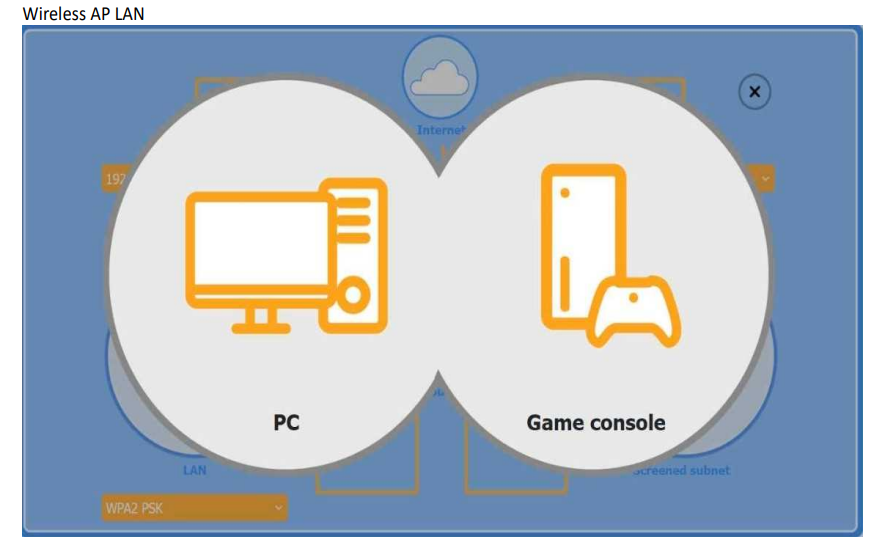
You are configuring a home network for a customer. The customer has requested the ability to access a Windows PC remotely, and needs all chat and optional functions to work in their game console.
INSTRUCTIONS
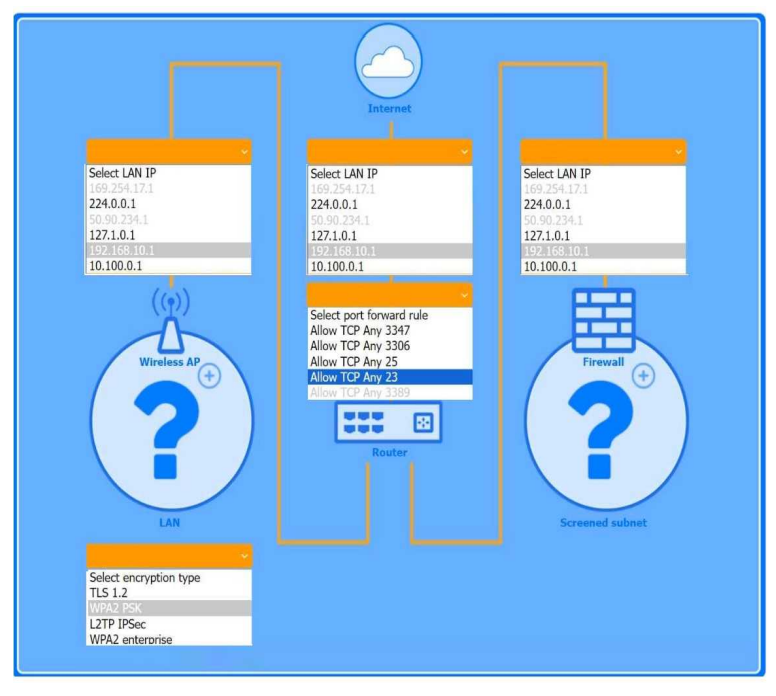
Use the drop-down menus to complete the network configuration for the customer. Each option may only be used once, and not all options will be used. Then, click the + sign to place each device in its appropriate location. If at any time you would like to bring back the initial state of the simulation, please click the Reset All button. Check the initial state of the simulation, please click the Reset All button.
Explanation:
The completed configuration:
Wireless AP (LAN side)
1 LAN IP: 192.168.10.1
2. Encryption: WPA2 PSK
Router (port-forward rule)
1. Allow TCP Any 3389
This forwards inbound RDP traffic (TCP/3389) from the Internet to the Windows PC, enabling Remote
Desktop access.
Firewall (screened subnet side)
1. LAN IP: 10.100.0.1
Device placement
1. PC: place behind the router (where the port-forward rule points).
2. Game console: place on the Wireless AP (so it can use chat and extra services over WPA2 PSK).
3. Firewall: place in front of the screened subnet (with its 10.100.0.1 IP facing that subnet).
The Windows PC is placed in the screened subnet (behind the firewall) for enhanced security. Remote access to this PC requires port forwarding of TCP port 3389 (RDP), which is correctly configured through the router.
The Game Console is placed on the Wireless AP LAN, using WPA2 PSK for a secure wireless connection. Game consoles typically use peer-to-peer chat and online services that require open access without firewall restrictions, which is why the console is not placed behind the firewall.
Question: 2
A technician needs to provide remote support for a legacy Linux-based operating system from their Windows laptop. The solution needs to allow the technician to see what the user is doing and provide the ability to interact with the user’s session. Which of the following remote access technologies would support the use case?
A. VPN
B. VNC
C. SSH
D. RDP
Question: 3
A technician is attempting to join a workstation to a domain but is receiving an error message stating the domain cannot be found. However, the technician is able to ping the server and access the internet.
Given the following information:
IP Address – 192.168.1.210
Subnet Mask – 255.255.255.0
Gateway – 192.168.1.1
DNS1 – 8.8.8.8
DNS2 – 1.1.1.1
Server – 192.168.1.10
Which of the following should the technician do to fix the issue?
A. Change the DNS settings.
B. Assign a static IP address.
C. Configure a subnet mask.
D. Update the default gateway.
Question: 4
A network technician notices that most of the company’s network switches are now end-of-life and need to be upgraded. Which of the following should the technician do first?
A. Implement the change
B. Approve the change
C. Propose the change
D. Schedule the change
Question: 5
MFA for a custom web application on a user’s smartphone is no longer working. The last time the user remembered it working was before taking a vacation to another country. Which of the following should the technician do first?
A. Verify the date and time settings
B. Apply mobile OS patches
C. Uninstall and reinstall the application
D. Escalate to the website developer
Question: 6
Which of the following is found in an MSDS sheet for a battery backup?
A. Installation instructions
B. Emergency procedures
C. Configuration steps
D. Voltage specifications
Question: 7
The screen of a previously working computer repeatedly displays an OS Not Found error message when the computer is started. Only a USB drive, a keyboard, and a mouse are plugged into the computer. Which of the following should a technician do first?
A. Run data recovery tools on the disk
B. Partition the disk using the GPT format
C. Check boot options
D. Switch from UEFI to BIOS
Question: 8
A security administrator teaches all of an organization’s staff members to use BitLocker To Go. Which of the following best describes the reason for this training?
A. To ensure that all removable media is password protected in case of loss or theft
B. To enable Secure Boot and a BIOS-level password to prevent configuration changes
C. To enforce VPN connectivity to be encrypted by hardware modules
D. To configure all laptops to use the TPM as an encryption factor for hard drives
Question: 9
Which of the following is used to detect and record access to restricted areas?
A. Bollards
B. Video surveillance
C. Badge readers
D. Fence
Question: 10
An administrator received an email stating that the OS they are currently supporting will no longer be issued security updates and patches. Which of the following is most likely the reason the administrator received this message?
A. Support from the computer’s manufacturer is expiring
B. The OS will be considered end of life
C. The built-in security software is being removed from the next OS version
D. A new version of the OS will be released soon
Question: 11
Which of the following is the best way to distribute custom images to 800 devices that include four device vendor classes with two types of user groups?
A. Use xcopy to clone the hard drives from one to another
B. Use robocopy to move the files to each device
C. Use a local image deployment tool for each device
D. Use a network-based remote installation tool
Question: 12
Which of the following types of social engineering attacks sends an unsolicited text message to a user’s mobile device?
A. Impersonation
B. Vishing
C. Spear phishing
D. Smishing
Question: 13
A user reports some single sign-on errors to a help desk technician. Currently, the user is able to sign in to the company’s application portal but cannot access a specific SaaS-based tool. Which of the following would the technician most likely suggest as a next step?
A. Reenroll the user’s mobile device to be used as an MFA token
B. Use a private browsing window to avoid local session conflicts
C. Bypass single sign-on by directly authenticating to the application
D. Reset the device being used to factory defaults
Question: 14
A technician verifies that a malware incident occurred on some computers in a small office. Which of the following should the technician do next?
A. Quarantine the infected systems
B. Educate the end users
C. Disable System Restore
D. Update the anti-malware and scan the computers
Question: 15
Which of the following is a Linux command that is used for administrative purposes?
A. runas
B. cmcl
C. net user
D. su
Question: 16
A user recently installed an application that accesses a database from a local server. When launching the application, it does not populate any information. Which of the following command-line tools is the best to troubleshoot the issue?
A. ipconfig
B. nslookup
C. netstat
D. curl
Question: 17
A small office reported a phishing attack that resulted in a malware infection. A technician is investigating the incident and has verified the following:
● All endpoints are updated and have the newest EDR signatures.
● Logs confirm that the malware was quarantined by EDR on one system.
● The potentially infected machine was reimaged.
Which of the following actions should the technician take next?
A. Install network security tools to prevent downloading infected files from the internet
B. Discuss the cause of the issue and educate the end user about security hygiene
C. Flash the firmware of the router to ensure the integrity of network traffic
D. Suggest alternate preventative controls that would include more advanced security software
Question: 18
Which of the following describes a vulnerability that has been exploited before a patch or remediation is available?
A. Spoofing
B. Brute-force
C. DoS
D. Zero-day
Question: 19
SIMULATION
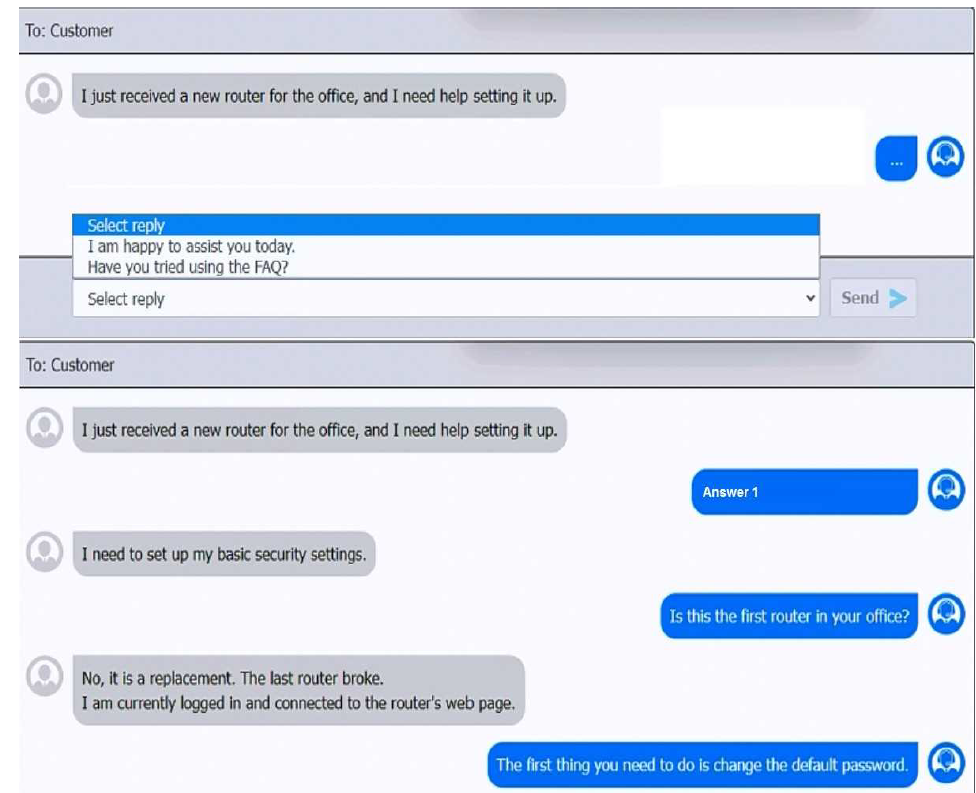
You have been contacted through the help desk chat application. A user is setting up a replacement SOHO router. Assist the user with setting up the router.
INSTRUCTIONS
Select the most appropriate statement for each response. Click the send button after each response to continue the chat. If at any time you would like to bring back the initial state of the simulation, please click the Reset All button.
Answers
First Chat Response: When the user mentions setting up a new router, the best initial response to
maintain a helpful and professional tone is:
>Select reply:”I am happy to assist you today.”
Second Chat Response:When the user states that they need to set up basic security settings:
>Select reply:”Is this the first router in your office?”
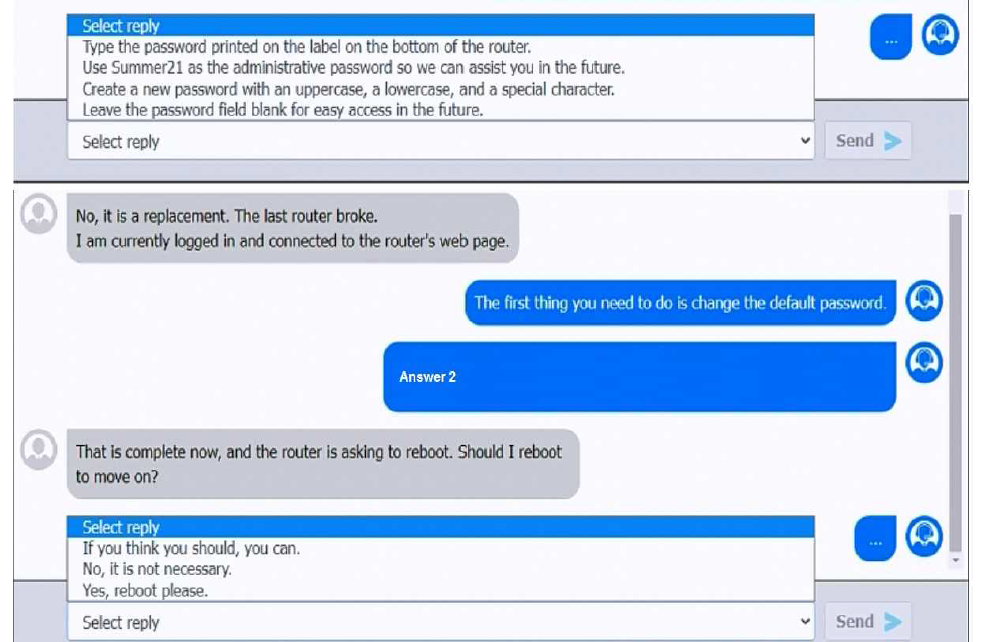
Third Chat Response:After learning it’s a replacement router and the user is logged into the router’s
web page:
>Select reply:”The first thing you need to do is change the default password.”
Fourth Chat Response:For the response about password settings:
>Select reply:”Create a new password with an uppercase, a lowercase, and a special character.”
Fifth Chat Response:When the router prompts to reboot:
>Select reply:”Yes, reboot please.”
Question: 20
A help desk technician is setting up speech recognition on a Windows system. Which of the following settings should the technician use?
A. Time and Language
B. Personalization
C. System
D. Ease of Access
Question: 21
A user receives a new personal computer but is unable to run an application. An error displays saying that .NET Framework 3.5 is required and not found. Which of the following actions is the best way to resolve this issue?
A. Resolve the dependency through the ‘Turn Windows features on or off’ menu.
B. Download the dependency via a third-party repository.
C. Ignore the dependency and install the latest version 4 instead.
D. Forward the trouble ticket to the SOC team because the issue poses a great security risk.
Question: 22
An employee is using a photo editing program. Certain features are disabled and require a log-in, which the employee does not have. Which of the following is a way to resolve this issue?
A. License assignment
B. VPN connection
C. Application repair
D. Program reinstallation
Question: 23
A technician is deploying mobile devices and needs to prevent access to sensitive data if the devices are lost. Which of the following is the best way to prevent unauthorized access if the user is unaware that the phone is lost?
A. Encryption
B. Remote wipe
C. Geofencing
D. Facial recognition
Question: 24
Which of the following is the quickest way to move from Windows 10 to Windows 11 without losing data?
A. Using gpupdate
B. Image deployment
C. Clean install
D. In-place upgrade
Question: 25
Technicians are failing to document user contact information, device asset tags, and a clear description of each issue in the ticketing system. Which of the following should a help desk management team implement for technicians to use on every call?
A. Service-level agreements
B. Call categories
C. Standard operating procedures
D. Knowledge base articles
Question: 26
An application’s performance is degrading over time. The application is slowing, but it never gives an error and does not crash. Which of the following tools should a technician use to start troubleshooting?
A. Reliability history
B. Computer management
C. Resource monitor
D. Disk
Question: 27
Which of the following filesystem types does the Linux OS use?
A. exFAT
B. APFS
C. ext4
D. NTFS
Question: 28
Which of the following methods would make data unrecoverable but allow the drive to be repurposed?
A. Deleting the partitions
B. Implementing EFS
C. Performing a low-level format
D. Degaussing the device
Question: 29
After a recent mobile OS upgrade to a smartphone, a user attempts to access their corporate email, but the application does not open. A technician restarts the smartphone, but the issue persists. Which of the following is the most likely way to resolve the issue?
A. Updating the failed software
B. Registering the smartphone with an MDM solution
C. Installing a third-party client
D. Clearing the cache partition
Question: 30
Users are reporting that an unsecured network is broadcasting with the same name as the normal wireless network. They are able to access the internet but cannot connect to the file share servers. Which of the following best describes this issue?
A. Unreachable DNS server
B. Virtual local area network misconfiguration
C. Incorrect IP address
D. Rogue wireless access point